
Converting words into numbers, so computers find meaning
Word2Vec as part of applied text analytics.
Given news articles sourced from The News International, create a Word2Vec model which converts the words into a vector representation.
Word2Vec is an algorithm that converts words into a word vector. As people, we’re able to extract meaning, semantics, context, parts of speech, and references. A word could also have multiple meanings. For example, the word ‘bad’ means “ failing to reach an acceptable standard”, but be ‘good or great’ in context.
“He’s a big bad wolf in your neighborhood.” have a different connotation than “He did a bad job”.
Using the Word2Vec algorithm, a model is trained to capture semantic meaning from a word corpus, which is a collection of texts or documents. Refer to this article for additional context.
These vectors can be inputs for future algorithms or models such as topic modeling and document classification.
Jupyter Notebook found here
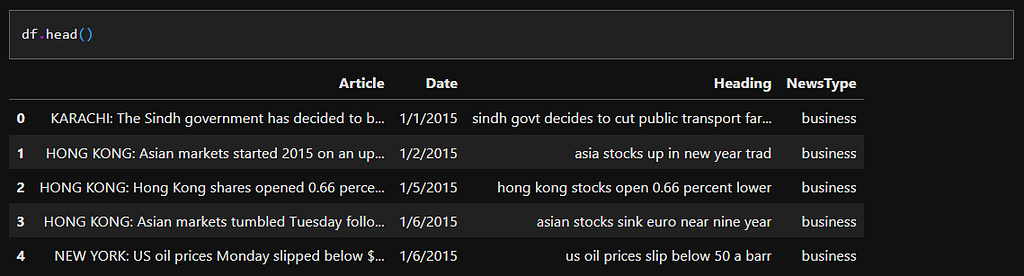
Stop words are words that do not add special meaning or context to a sentence. Adverbs like ‘always’, ‘never’, ‘somewhere’, articles like ‘a’, ‘the’, ‘an’, and Prepositions like ‘from’ and ‘of’ do not add context to a sentence. There is no object or subject of a sentence or verbs that convey action that provides a semantic understanding of a document.
# tokenize words from text document while removing stop words because they hold no value
def token_helper(doc):
    global stops
    payload = [word.lower() for word in word_tokenize(doc) if word not in stops and word.isalpha()]
    return payload
nltk_tokensized_bios = [token_helper(doc) for doc in tqdm(df.Article.values)]
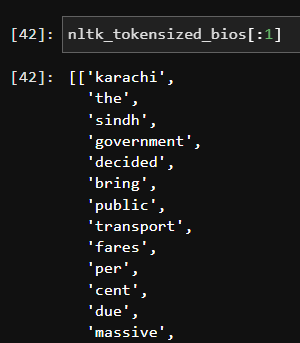
Initiate the Word2Vec algorithm using the tokenized documents. To assist in processing, only if a word has a count larger than 100 will be considered. The Window paremeter represents the “maximum distance between the current and predicted word within a sentence”. This creates context and relationships between words.
model = Word2Vec(nltk_tokensized_bios, min_count = 100, vector_size = 100, seed = 42, window = 10, workers = 4)
This is the vector representation of the word “bank” according to our word2vec model. You can think of each number representing coordinates in a higher dimension.
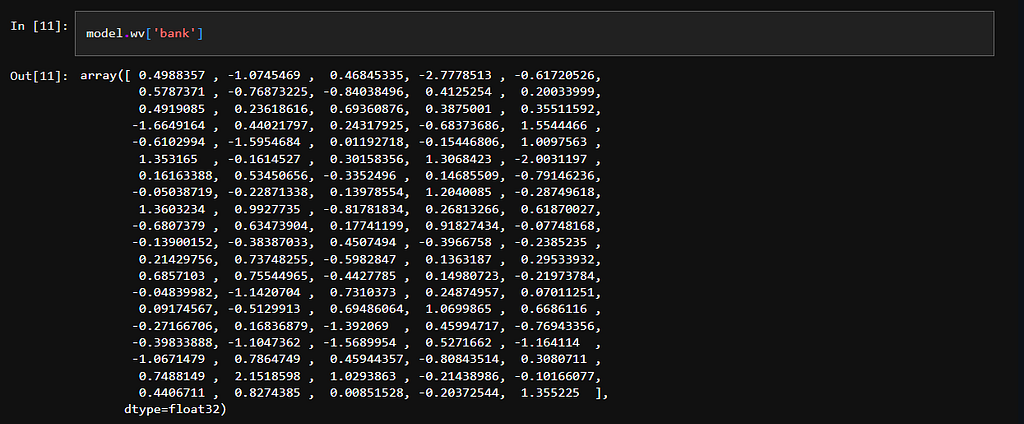
We can do a reverse lookup from the vector ‘model.wv[‘bank’]’ and return the word ‘bank’.

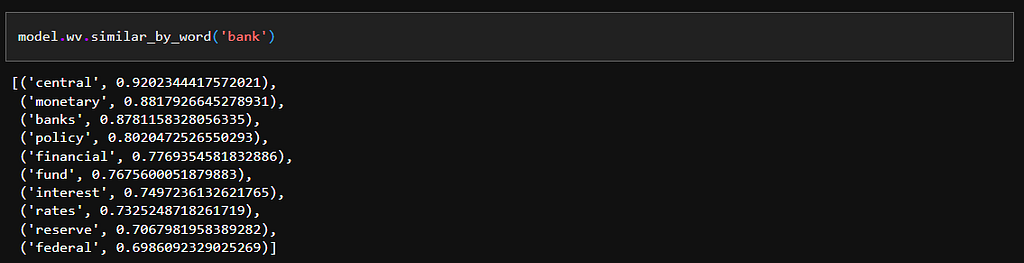
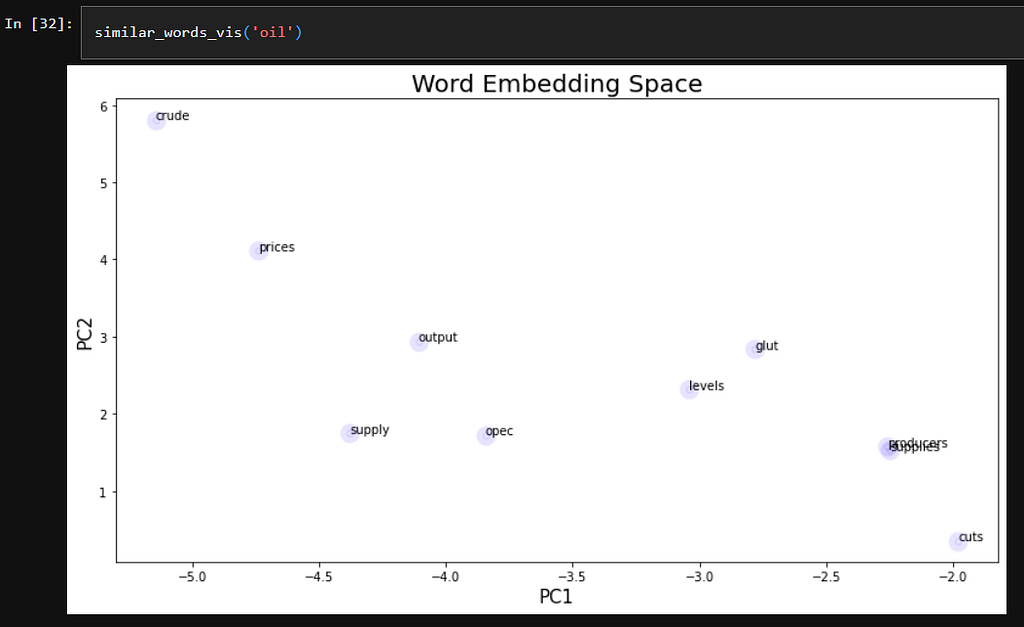
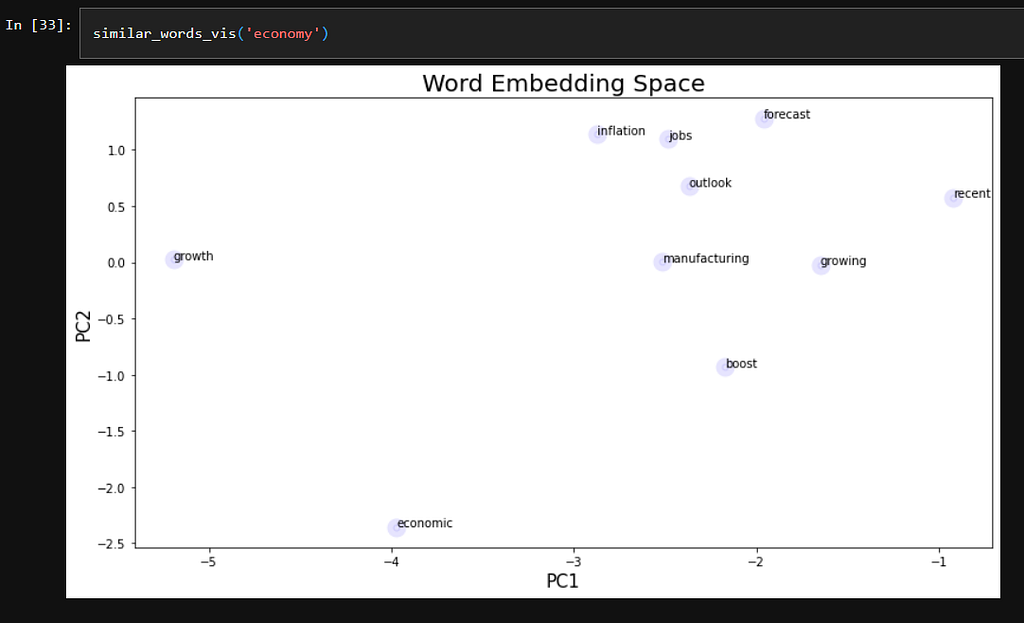
Using our vocabulary, we can compare which words are most similar or share context with “bank” using the ‘similar_by_word’ function.
Because the word vectors are of length 100, there are far too many dimensions to plot on a chart. I will utilize PCA as a dimensional reduction technique to 2, so we can chart words on a plot.
# Flatten Word Embeddings to 2-D for Visualizations

X = model.wv[model.wv.key_to_index]
pca = PCA(n_components=2)
result = pca.fit_transform(X)
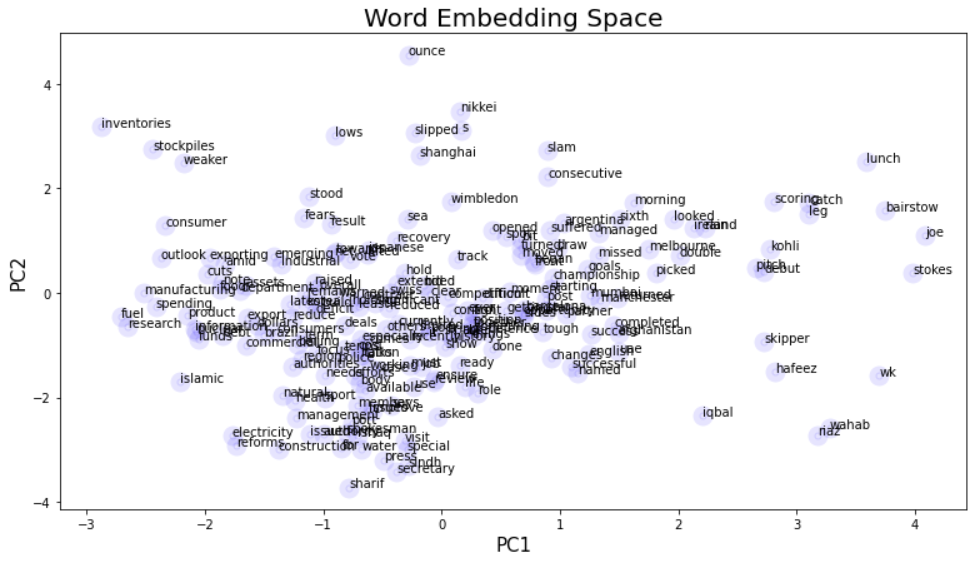
# Vector space with 'similar words' against the word
def similar_words_vis(word):
    global model
    a = [i[0] for i in model.wv.similar_by_word(word)]
    results2 = pca.transform(model.wv[a])
    generate_fig(results2, a)
Word Embedding is the intersection between words and numbers. With a few lines of code, you can convert words to vectors which can be directly input for future algorithms such as Logistic Regression or Artificial Neural Networks.